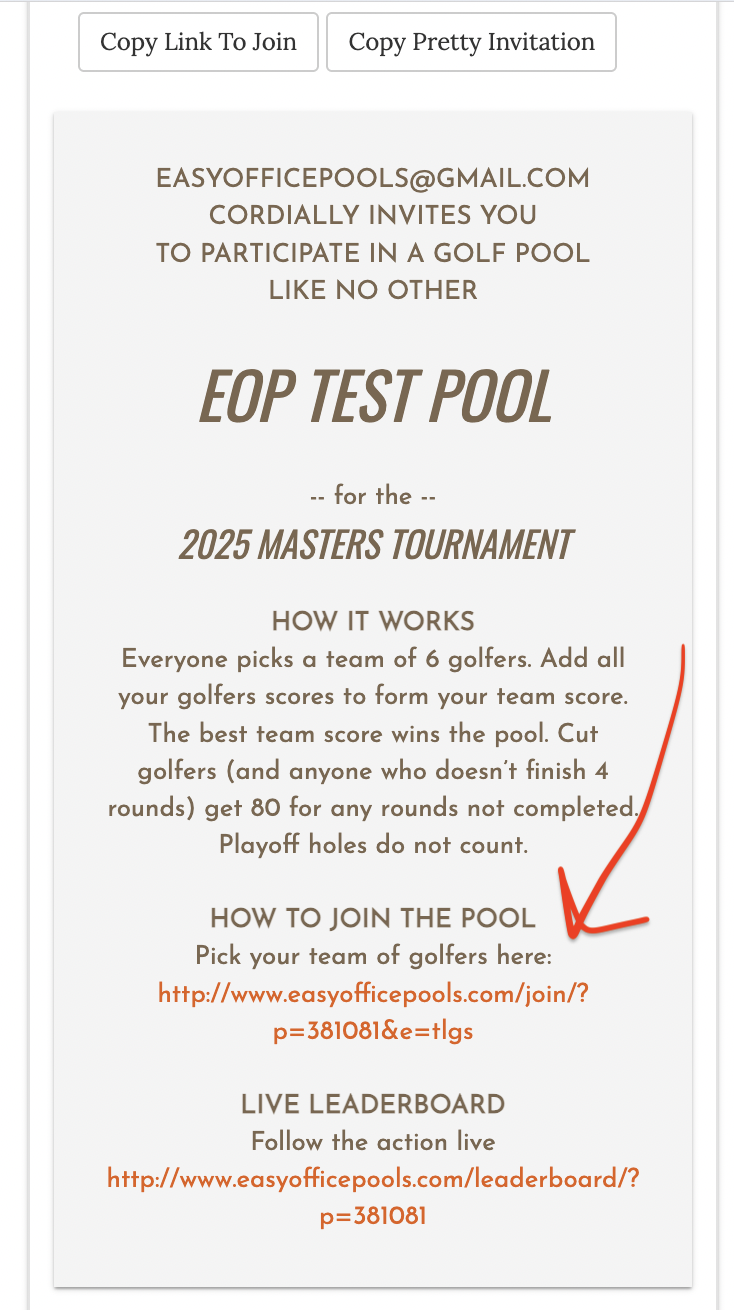
How to Add a Pool Invitation if You Can't Find The Link On Your Admin Page
If you can't find the link on your pool admin page, used to invite others to your pool, it is likely that you chose a "Enter Picks Manually" setup when creating your pool. Here is how to change that after your pool is created so you have a link that you can share.
Step by Step - Change Pool to Use An Invitation Link
- Login
- Click ADMIN button next to your pool
- Click SETTINGS
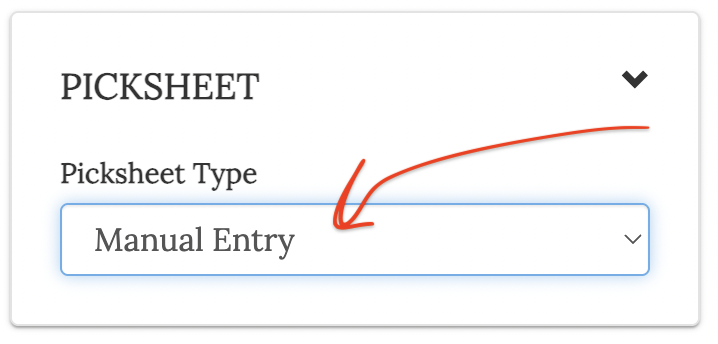
- Scroll to PICKSHEET section
- Change the Picksheet Type dropdown to Tiers or other setup
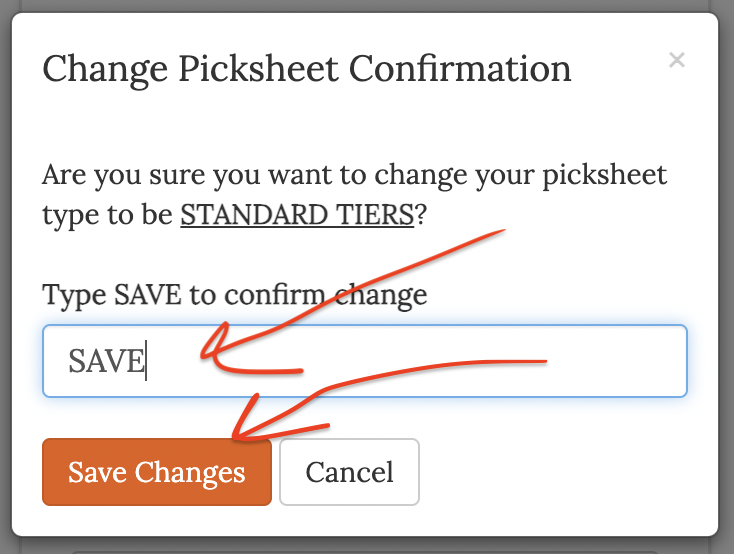
- Type SAVE in the input box
- Click Save Changes
Screenshots
When you first create your pool with manual setup it looks like this on your pool admin page
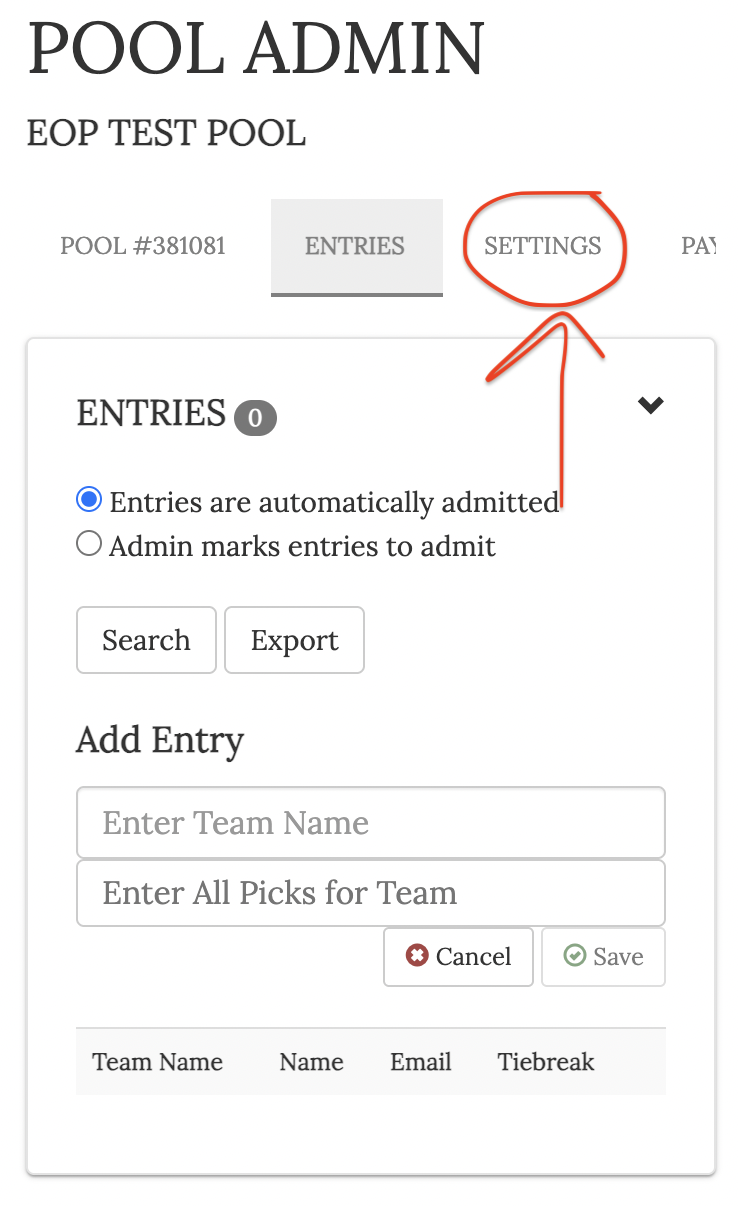
Click settings, then scroll to picksheet section, then change type
Select a Picksheet Type, type save, click save changes
Your ADMIN page now shows an invitation with a link to join