Football Squares - How to Change the Name for a Square (Pool Admin Only)
If you've created a Football Squares pool and need to change the name for any of the squares, you can do so from your pool admin page with these instructions.
Step by Step
- Login
- Click ADMIN next to your pool
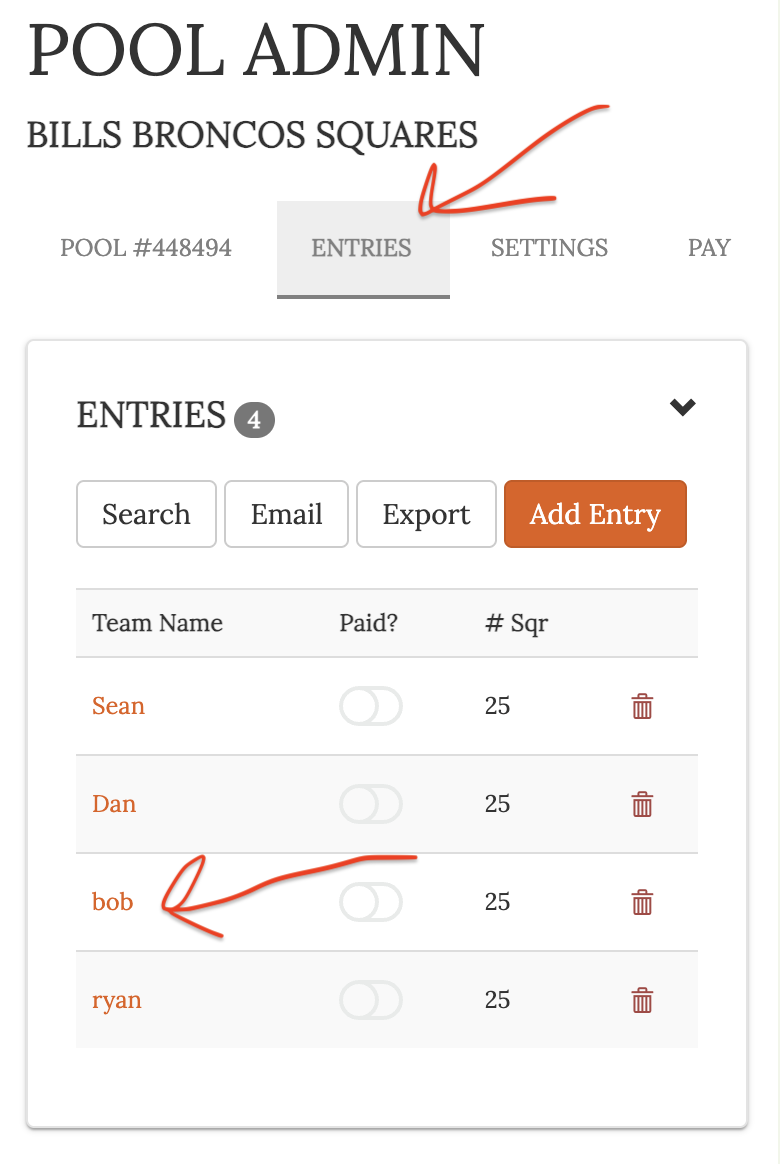
- Click ENTRIES
- Click on orange entry name you want to change
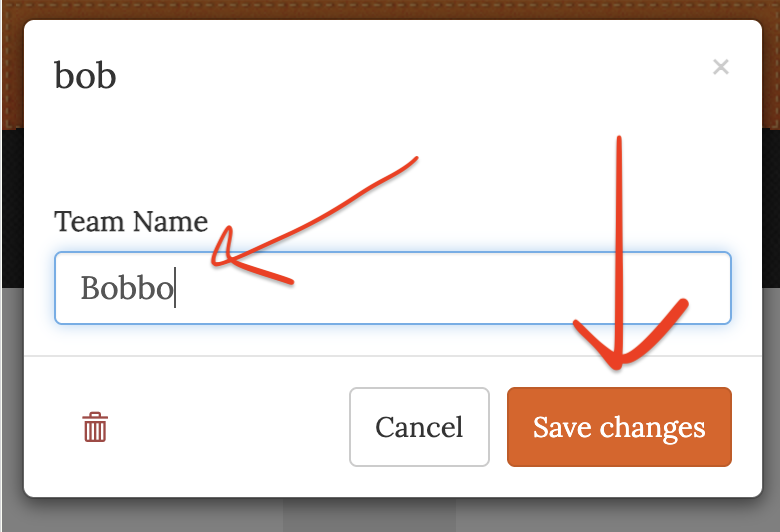
- Enter the new name
- Click Save Changes
Screenshots
Click entries then the name
Then update the name and click save changes